
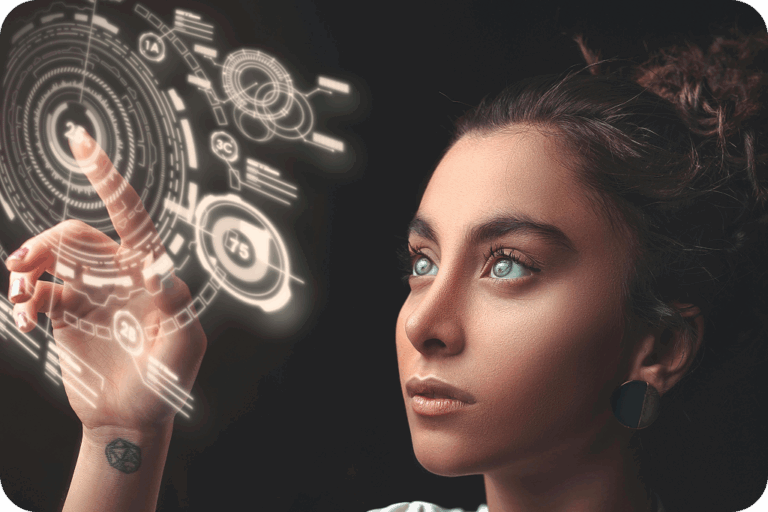
Holographic navigation: touching the web's hidden connections
2025-07-13
The web can feel like an endless stream of fragmented information, with the complex connections between ideas remaining hard to grasp. What if we could make these invisible relationships tangible, explorable, and intuitive for everyone?
Solving screen reader navigation challenges
Current screen readers excel at accessing text but struggle with the web’s structural and informational complexity. They flatten what was meant to be multidimensional, fragmenting complex relationships into sequential streams.
What are webpage holograms?
Imagine a webpage not as a flat document, but as a living, multi-dimensional graph where every element—headings, paragraphs, links, images—exists in spatial relationship to each other. Webpage holograms are interactive 3D representations that map these hidden connections: how content flows from introduction to conclusion, how navigation menus relate to page sections, how links weave between ideas.
Unlike traditional screen reader navigation that presents information in a linear sequence, webpage holograms reveal the underlying architecture of digital content—the skeleton of meaning that gives structure to information.
XR holograms: beyond visual reality
XR (Extended Reality) holograms aren’t just visual projections floating in space. They’re multimodal experiences that can be touched, heard, and embodied in physical reality. Think of holding a hologram in your palm—feeling it, hearing its spatial audio cues, manipulating it with your fingers.
Our approach puts touch first. When you grasp a webpage hologram, you’re not just looking at information—you’re physically exploring it. Links and headings have their unique tactile qualities, and the overall structure has a geography you can learn and navigate.
The holographic navigation experience
Holographic navigation transforms how we explore digital information through three key capabilities:
- Multiscale Exploration: Spread your fingers to zoom out and see the bigger picture—how all the pieces fit together. Pinch to dive deep into specific details. It’s like having a mental map that scales from satellite view to street level.
- Multiperspective Understanding: Rotate the hologram to see different viewpoints. Highlight structural relationships to understand the content hierarchy. Switch to semantic perspective to see how ideas connect. Toggle to visuospatial view to grasp layout and formatting. Each perspective reveals connections invisible from other angles.
- Intuitive Orientation: Always know where you are relative to the whole. A big “You are here” sign in the holographic map of the content.
How screen reader navigation is transformed
Holographic navigation addresses three core challenges in screen reader navigation:
- Orientation: Instead of wondering “where am I on this page?”, users can feel their position relative to the entire webpage structure
- Scale Navigation: Users can grasp the big picture first, then zoom into areas of interest—rather than jumping blindly between sections
- Relationship Discovery: Multiple perspectives reveal connections that remain hidden in linear navigation—structural, semantic, spatial, and accessibility relationships working together
“Screen readers linearize the web’s hidden connections. Tomat Navigator turns them into tangible structures. Zoom from a paragraph to a site map with a gesture and feel it on your palm—like holding a thought.”
Beyond accessibility: the bigger picture
While our work starts with making the web accessible to blind users, holographic navigation could help all users grasp complex systems:
- Multi-perspective Analysis: Explore different viewpoints on contentious topics—like holding a 3D model of a debate where you can rotate to see each argument’s point of view
- Digital Cultural Heritage: Picture exploring and touching holograms of linked open data, the semantic web, and digital cultural heritage curated by organizations like Europeana and Gallica—manuscripts, artifacts, and their interconnections made tangible
- Complex Data Exploration: Imagine touching a hologram of your journal pages, your moodboard or the codebase of your project, feeling how information evolves over time
Join the holographic revolution
At LibreTactile.org, we’re prototyping open-source tools to make holographic navigation real. Our Tomat Navigator prototype enhances screen readers by generating interactive, tangible holograms in the user’s palm—offering a multimodal, multiscale, and multiperspective way to explore the web.
Would you like to touch ideas? Imagine navigating holograms of the fediverse, the semantic web, or linked open data. We’re building a future where digital interaction is more intuitive, inclusive, and empowering for all.
Curious? Testers and developers welcome. Let’s build the future of digital interaction together—one hologram at a time.
This work builds on emerging XR and web technologies but applies them in a novel way that addresses a real gap in web accessibility. While related technologies exist, our approach stands out for its focus on making the structure and relationships of web content tangible, explorable, and accessible to those who have been left out of traditional navigation paradigms. Learn more about our codesign process on this scientific publication and conference presentation.
Keep exploring
Check out these related posts for more insights and inspiration.


Want more insights like this?
Subscribe for exclusive blog previews, open-source toolkits, and invites to community co-design